

- Basics
- Creating
- Basic Properties
- Declaring in the System
- Autoloading
- Sorting
- Pagination
- Async Mode
- Adding to the Menu
- Alias
- Current Element/Model
- Modal Windows
- Redirects
- Active Actions
- Lifecycle
- Assets
- Response modifiers
- CRUD operation handlers
Basics
ModelResource extends CrudResource and provides functionality for working with Eloquent models.
It serves as a foundation for creating resources associated with database models.
ModelResource offers methods for performing CRUD operations, managing relationships, applying filters, and much more.
You can also refer to the section on CrudResource.
CrudResource is an abstract class providing a basic interface for CRUD operations without binding to a storage and data type.
Under the hood, ModelResource extends CrudResource and immediately includes the capability to work with Eloquent.
If you delve into the details of MoonShine, you will see all the standard Controller, Model, and Blade views.
If you were developing independently, you could create resource controllers and resource routes as follows:
use Illuminate\Support\Facades\Route;Route::resource('resources', Controller::class);
use Illuminate\Support\Facades\Route;Route::resource('resources', Controller::class);
But this work can be entrusted to the admin panel MoonShine, which will generate and declare them automatically.
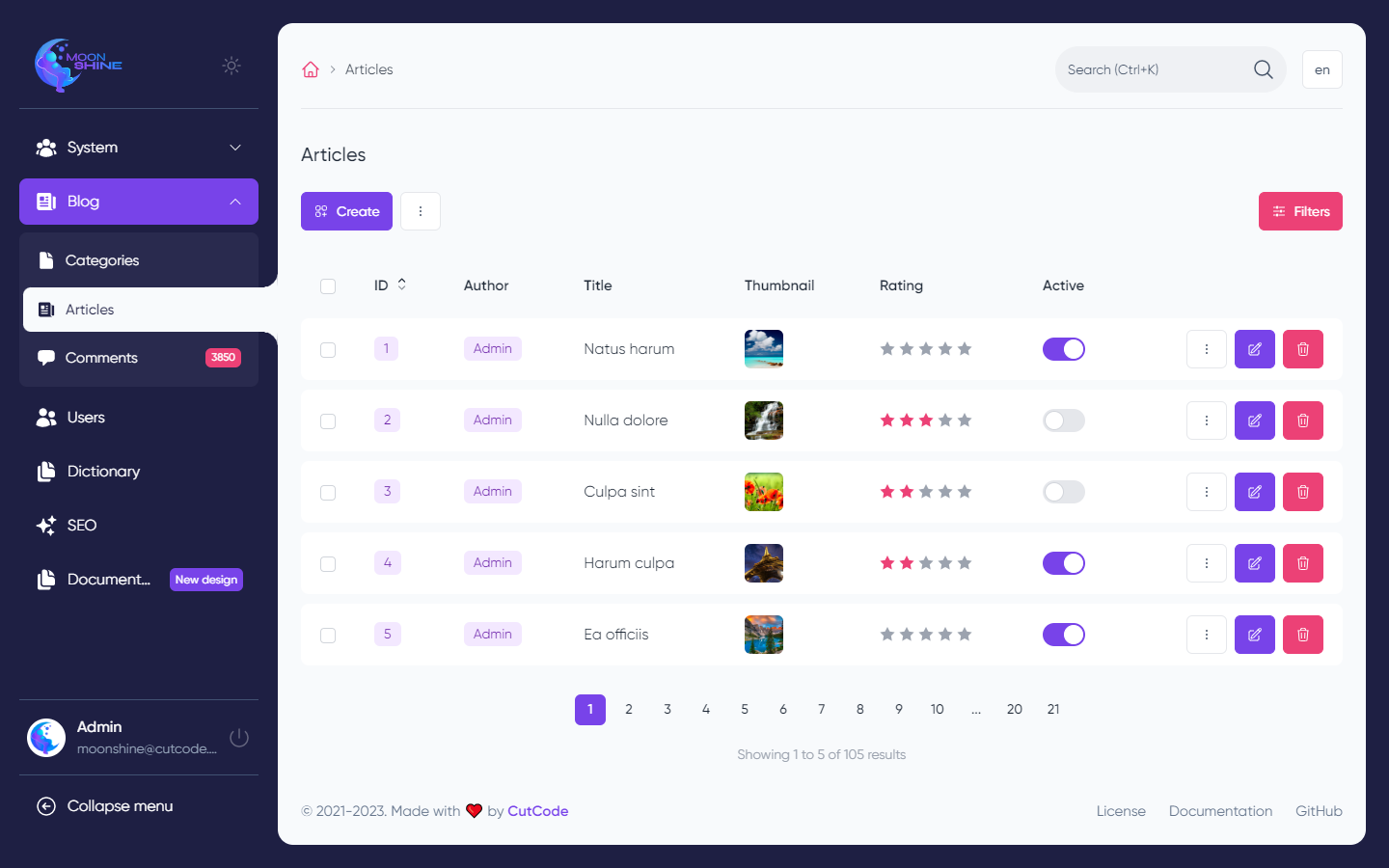
ModelResource is the primary component for creating a section in the admin panel when working with databases.
Creating
For more details, refer to the Commands.
Basic Properties
Basic parameters that can be changed for a resource to customize its functionality.
namespace App\MoonShine\Resources;use App\Models\Post;use MoonShine\Laravel\Resources\ModelResource;/*** @extends ModelResource<Post>*/class PostResource extends ModelResource{// Modelprotected string $model = Post::class;// Section titleprotected string $title = 'Posts';// Eager loadprotected array $with = ['category'];// Field for displaying values in relationships and breadcrumbsprotected string $column = 'id';// ...}
namespace App\MoonShine\Resources;use App\Models\Post;use MoonShine\Laravel\Resources\ModelResource;/*** @extends ModelResource<Post>*/class PostResource extends ModelResource{// Modelprotected string $model = Post::class;// Section titleprotected string $title = 'Posts';// Eager loadprotected array $with = ['category'];// Field for displaying values in relationships and breadcrumbsprotected string $column = 'id';// ...}
Declaring in the System
The resource is automatically registered in MoonShineServiceProvider when executing the command php artisan moonshine:resource.
However, if you create a section manually, you need to declare it in the system within MoonShineServiceProvider.
namespace App\Providers;use Illuminate\Support\ServiceProvider;use MoonShine\Contracts\Core\DependencyInjection\CoreContract;use MoonShine\Contracts\Core\DependencyInjection\ConfiguratorContract;use MoonShine\Laravel\DependencyInjection\MoonShine;use MoonShine\Laravel\DependencyInjection\MoonShineConfigurator;class MoonShineServiceProvider extends ServiceProvider{/*** @param MoonShine $core* @param MoonShineConfigurator $config**/public function boot(CoreContract $core,ConfiguratorContract $config,): void{$core->resources([MoonShineUserResource::class,MoonShineUserRoleResource::class,ArticleResource::class,// ...])->pages([...$config->getPages(),]);}}
namespace App\Providers;use Illuminate\Support\ServiceProvider;use MoonShine\Contracts\Core\DependencyInjection\CoreContract;use MoonShine\Contracts\Core\DependencyInjection\ConfiguratorContract;use MoonShine\Laravel\DependencyInjection\MoonShine;use MoonShine\Laravel\DependencyInjection\MoonShineConfigurator;class MoonShineServiceProvider extends ServiceProvider{/*** @param MoonShine $core* @param MoonShineConfigurator $config**/public function boot(CoreContract $core,ConfiguratorContract $config,): void{$core->resources([MoonShineUserResource::class,MoonShineUserRoleResource::class,ArticleResource::class,// ...])->pages([...$config->getPages(),]);}}
Autoloading
Autoloading of pages and resources is also available in MoonShine.
It is disabled by default and to activate it you need to call the autoload() method in MoonShineServiceProvider instead of specifying links to pages and resources.
namespace App\Providers;use Illuminate\Support\ServiceProvider;use MoonShine\Contracts\Core\DependencyInjection\CoreContract;use MoonShine\Contracts\Core\DependencyInjection\ConfiguratorContract;class MoonShineServiceProvider extends ServiceProvider{public function boot(CoreContract $core,ConfiguratorContract $config,): void{$core->autoload();}}
namespace App\Providers;use Illuminate\Support\ServiceProvider;use MoonShine\Contracts\Core\DependencyInjection\CoreContract;use MoonShine\Contracts\Core\DependencyInjection\ConfiguratorContract;class MoonShineServiceProvider extends ServiceProvider{public function boot(CoreContract $core,ConfiguratorContract $config,): void{$core->autoload();}}
When deploying a project to production in Laravel 11+ it is recommended to call the php artisan optimize console command.
In addition to its basic functions, it will also perform MoonShine resource caching.
When using Laravel 10, you must manually call the php artisan moonshine:optimize console command to optimize the admin panel initialization process.
You can clear the panel cache either with the php artisan optimize:clear command in Laravel 11
or by directly calling the php artisan moonshine:optimize-clear console command.
If the application does not see them after creating the classes, update the composer cache with the composer dump-autoload command.
Sorting
By default, table records are sorted by the id field in descending order.
You can change the sorting using the $sortColumn and $sortDirection properties.
Pagination
By default, MoonShine uses Laravel's standard pagination.
You can switch to cursor pagination or simple pagination using the $cursorPaginate and $simplePaginate properties.
Learn more about pagination types in the Laravel documentation.
Async Mode
By default, the resource is set to Asynchronous mode.
To disable it, override the $isAsync property in the resource or on individual CRUD pages.
For more information about asynchronous table loading, see TableBuilder.
For more information about asynchronous form submission, see FormBuilder.
Adding to the Menu
All pages in MoonShine have a Layout, and each page can have its own.
By default, when MoonShine is installed, a base MoonShineLayout is added to the directory app/MoonShine/Layouts.
In Layout, everything related to the appearance of your pages, including navigation, is customized.
To add a section to the menu, you need to declare it via the menu() method in Layout.
namespace App\MoonShine\Layouts;use MoonShine\Laravel\Layouts\AppLayout;use MoonShine\MenuManager\MenuGroup;use MoonShine\MenuManager\MenuItem;final class MoonShineLayout extends AppLayout{// ...protected function menu(): array{return [MenuGroup::make(__('moonshine::ui.resource.system'), [MenuItem::make(MoonShineUserResource::class),MenuItem::make(MoonShineUserRoleResource::class),]),MenuItem::make(PostResource::class),// ...];}}
namespace App\MoonShine\Layouts;use MoonShine\Laravel\Layouts\AppLayout;use MoonShine\MenuManager\MenuGroup;use MoonShine\MenuManager\MenuItem;final class MoonShineLayout extends AppLayout{// ...protected function menu(): array{return [MenuGroup::make(__('moonshine::ui.resource.system'), [MenuItem::make(MoonShineUserResource::class),MenuItem::make(MoonShineUserRoleResource::class),]),MenuItem::make(PostResource::class),// ...];}}
You can learn about advanced Layout settings in the section Layout.
You can learn about advanced MenuManager settings in the section Menu.
Alias
By default, the alias of the resource used in the url is generated based on the class name in kebab-case, for example:
MoonShineUserResource -> moon-shine-user-resource.
To change the alias, you can use the resource property $alias or the method getAlias().
namespace App\MoonShine\Resources;use MoonShine\Laravel\Resources\ModelResource;class PostResource extends ModelResource{public function getAlias(): ?string{return 'custom-alias';}}
namespace App\MoonShine\Resources;use MoonShine\Laravel\Resources\ModelResource;class PostResource extends ModelResource{public function getAlias(): ?string{return 'custom-alias';}}
Current Element/Model
If the resourceItem parameter is present in the url of the detail or editing page,
you can access the current element in the resource using the getItem() method.
You can access the model through the getModel() method.
Modal Windows
You can add, edit, and view records directly on the listing page in a modal window.
Modal Modifiers
You can customize the appearance and behavior of modal windows in the resource by overriding modifier methods.
Create Modal
The modifyCreateModal() method allows you to modify the create modal window.
use MoonShine\Contracts\UI\ModalContract;protected function modifyCreateModal(ModalContract $modal): ModalContract{return $modal->full();}
use MoonShine\Contracts\UI\ModalContract;protected function modifyCreateModal(ModalContract $modal): ModalContract{return $modal->full();}
Edit Modal
The modifyEditModal() method allows you to modify the edit modal window.
use MoonShine\Contracts\UI\ModalContract;protected function modifyEditModal(ModalContract $modal): ModalContract{return $modal->full();}
use MoonShine\Contracts\UI\ModalContract;protected function modifyEditModal(ModalContract $modal): ModalContract{return $modal->full();}
Detail Modal
The modifyDetailModal() method allows you to modify the detail modal window.
use MoonShine\Contracts\UI\ModalContract;protected function modifyDetailModal(ModalContract $modal): ModalContract{return $modal->full();}
use MoonShine\Contracts\UI\ModalContract;protected function modifyDetailModal(ModalContract $modal): ModalContract{return $modal->full();}
Delete Modal
The modifyDeleteModal() method allows you to modify the delete confirmation modal.
use MoonShine\Contracts\UI\ModalContract;protected function modifyDeleteModal(ModalContract $modal): ModalContract{return $modal->auto();}
use MoonShine\Contracts\UI\ModalContract;protected function modifyDeleteModal(ModalContract $modal): ModalContract{return $modal->auto();}
Mass Delete Modal
The modifyMassDeleteModal() method allows you to modify the mass delete confirmation modal.
use MoonShine\Contracts\UI\ModalContract;protected function modifyMassDeleteModal(ModalContract $modal): ModalContract{return $modal->auto();}
use MoonShine\Contracts\UI\ModalContract;protected function modifyMassDeleteModal(ModalContract $modal): ModalContract{return $modal->auto();}
Filters OffCanvas
The modifyFiltersOffCanvas() method allows you to modify the filters off-canvas panel.
use MoonShine\Contracts\UI\OffCanvasContract;protected function modifyFiltersOffCanvas(OffCanvasContract $offCanvas): OffCanvasContract{return $offCanvas->full()->autoClose(false);}
use MoonShine\Contracts\UI\OffCanvasContract;protected function modifyFiltersOffCanvas(OffCanvasContract $offCanvas): OffCanvasContract{return $offCanvas->full()->autoClose(false);}
All modifier methods are applied to the corresponding modal windows and off-canvas panels, allowing you to flexibly customize their appearance and behavior.
Redirects
By default, when creating and editing a record, a redirect to the form page is performed, but this behavior can be controlled.
Through a property in the resource:
use MoonShine\Support\Enums\PageType;protected ?PageType $redirectAfterSave = PageType::FORM;
use MoonShine\Support\Enums\PageType;protected ?PageType $redirectAfterSave = PageType::FORM;
Through methods:
Redirect after deletion is also available:
Active Actions
Often, it is necessary to create a resource where the ability to delete, add, or edit is excluded.
This is not about authorization, but rather a global exclusion of these sections.
This can be done easily through the activeActions() method in the resource.
use MoonShine\Support\Enums\Action;use MoonShine\Support\ListOf;class PostResource extends ModelResource{// ...protected function activeActions(): ListOf{return parent::activeActions()->except(Action::VIEW, Action::MASS_DELETE)// ->only(Action::VIEW);}}
use MoonShine\Support\Enums\Action;use MoonShine\Support\ListOf;class PostResource extends ModelResource{// ...protected function activeActions(): ListOf{return parent::activeActions()->except(Action::VIEW, Action::MASS_DELETE)// ->only(Action::VIEW);}}
You can also create a new list, for example:
use MoonShine\Support\Enums\Action;use MoonShine\Support\ListOf;protected function activeActions(): ListOf{return new ListOf(Action::class, [Action::VIEW, Action::UPDATE]);}
use MoonShine\Support\Enums\Action;use MoonShine\Support\ListOf;protected function activeActions(): ListOf{return new ListOf(Action::class, [Action::VIEW, Action::UPDATE]);}
Lifecycle
Resource has several different methods to connect to various parts of its lifecycle. Let's walk through them:
Active Resource
The onLoad() method allows integration at the moment when the resource is loaded and currently active.
Recipe: Changing breadcrumbs from a resource.
You can also attach a trait to the resource and within the trait, add a method according to the naming convention - load{TraitName}
and use the trait to access the onLoad() of the resource.
use App\Traits\WithPermissions;class PostResource extends ModelResource{use WithPermissions;// ...}
use App\Traits\WithPermissions;class PostResource extends ModelResource{use WithPermissions;// ...}
use MoonShine\Support\Enums\Layer;use MoonShine\Support\Enums\PageType;trait WithPermissions{protected function loadWithPermissions(): void{$this->getPages()->findByUri(PageType::FORM->value)->pushToLayer(layer: Layer::BOTTOM,component: Permissions::make(label: 'Permissions',resource: $this,));}}
use MoonShine\Support\Enums\Layer;use MoonShine\Support\Enums\PageType;trait WithPermissions{protected function loadWithPermissions(): void{$this->getPages()->findByUri(PageType::FORM->value)->pushToLayer(layer: Layer::BOTTOM,component: Permissions::make(label: 'Permissions',resource: $this,));}}
Creating an Instance
The onBoot() method allows integration at the moment when MoonShine is creating an instance of the resource within the system.
You can also attach a trait to the resource and within the trait, add a method according to the naming convention - boot{TraitName}
and use the trait to access the onBoot() of the resource.
Assets
use MoonShine\AssetManager\Css;use MoonShine\AssetManager\Js;protected function onLoad(): void{$this->getAssetManager()->add(Css::make('/css/app.css'))->append(Js::make('/js/app.js'));}
use MoonShine\AssetManager\Css;use MoonShine\AssetManager\Js;protected function onLoad(): void{$this->getAssetManager()->add(Css::make('/css/app.css'))->append(Js::make('/js/app.js'));}
Response modifiers
If the resource is in "async" mode, then you can modify the answer:
use Symfony\Component\HttpFoundation\Response;use MoonShine\Crud\JsonResponse;public function modifyDestroyResponse(JsonResponse $response): JsonResponse{return $response;}public function modifyMassDeleteResponse(JsonResponse $response): JsonResponse{return $response;}public function modifySaveResponse(JsonResponse $response): JsonResponse{return $response;}public function modifyErrorResponse(Response $response, Throwable $exception): Response{return $response;}
use Symfony\Component\HttpFoundation\Response;use MoonShine\Crud\JsonResponse;public function modifyDestroyResponse(JsonResponse $response): JsonResponse{return $response;}public function modifyMassDeleteResponse(JsonResponse $response): JsonResponse{return $response;}public function modifySaveResponse(JsonResponse $response): JsonResponse{return $response;}public function modifyErrorResponse(Response $response, Throwable $exception): Response{return $response;}
CRUD operation handlers
You can change the logic of save, delete, and mass delete operations in ModelResource
using SaveHandler, DestroyHandler and MassDestroyHandler attributes and your custom handlers.
The $data array, which has already passed through the apply() method of the form fields, is passed into the save operation handler.
Usage example:
use MoonShine\Crud\Attributes\DestroyHandler;use MoonShine\Crud\Attributes\MassDestroyHandler;use MoonShine\Crud\Attributes\SaveHandler;#[DestroyHandler(MoonShineUserRoleHandlers::class, 'destroy')]#[MassDestroyHandler(MoonShineUserRoleHandlers::class, 'massDestroy')]#[SaveHandler(MoonShineUserRoleHandlers::class, 'save')]class MoonShineUserRoleResource extends ModelResource{// ...}
use MoonShine\Crud\Attributes\DestroyHandler;use MoonShine\Crud\Attributes\MassDestroyHandler;use MoonShine\Crud\Attributes\SaveHandler;#[DestroyHandler(MoonShineUserRoleHandlers::class, 'destroy')]#[MassDestroyHandler(MoonShineUserRoleHandlers::class, 'massDestroy')]#[SaveHandler(MoonShineUserRoleHandlers::class, 'save')]class MoonShineUserRoleResource extends ModelResource{// ...}
A class with methods for processing operations might look like this:
You can also use handler classes instead of methods, in which case they must implement the __invoke() method:
use MoonShine\Crud\Attributes\DestroyHandler;use MoonShine\Crud\Attributes\MassDestroyHandler;use MoonShine\Crud\Attributes\SaveHandler;#[SaveHandler(MoonShineUserRoleSaveHandler::class)]#[DestroyHandler(MoonShineUserRoleDestroyHandler::class)]#[MassDestroyHandler(MoonShineUserRoleMassDestroyHandler::class)]class MoonShineUserRoleResource extends ModelResource{// ...}
use MoonShine\Crud\Attributes\DestroyHandler;use MoonShine\Crud\Attributes\MassDestroyHandler;use MoonShine\Crud\Attributes\SaveHandler;#[SaveHandler(MoonShineUserRoleSaveHandler::class)]#[DestroyHandler(MoonShineUserRoleDestroyHandler::class)]#[MassDestroyHandler(MoonShineUserRoleMassDestroyHandler::class)]class MoonShineUserRoleResource extends ModelResource{// ...}